RetroTINK-6X CE review: An excellent entry-level device for those serious about playing retro consoles on modern TVs
The latest RetroTINK is missing some features from pricier models but the hefty drop in price justifies it
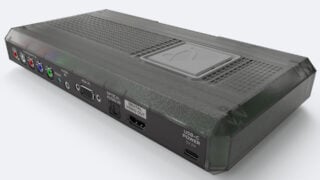
Because I spend most of my non-VGC time writing and publishing retro video game encyclopedias, one of the questions I’m asked most is how to get old consoles running on modern TVs.
This is a much more complicated answer than you may initially think, mainly because there are different levels to this, depending on how much you care about quality and how far your budget stretches.
Some time next year I’ll cover this topic in far more detail on VGC, but for now I want to focus on video processing, not least because one of the best solutions was recently released.
One of the main reasons I struggle to recommend a set-up for people is because I’m often asked “well, what do you use” and what I use is wildly overexpensive for most people’s needs. Because I need reference-quality screenshots for my books, I use the RetroTINK 4K-Pro, an astonishingly good scaler by electrical engineer Mike Chi.
The problem is, the RetroTINK 4K-Pro costs $975 / £770, and that’s obviously prohibitively expensive for people who aren’t looking to use it for work and just want to be able to play their old PS2 games on their modern television. My recommendation isn’t realistic, then, for most people’s needs.
Now Chi has come up with a potential solution to this, the RetroTINK-6X CE. At $300 / £235 it’s still not cheap, but it’s certainly a far less outlandish suggestion for people who want extremely good picture quality which goes beyond the cheap upscalers you can find online.
For the uninitiated, the RetroTINK-6X CE works like the other RetroTINK products in that it’s a line doubler, not a typical upscaler. This means it doesn’t use any scaling algorithms or other filters to try and improve the image.
While this might sound counter-intuitive it’s actually the best way to ensure a sharp, accurate image. A cheap £16 component to HDMI converter will take your PS2 or Wii cable and run it through an algorithm to upscale the 240p, 480p or 480i image (among others) to 720p or 1080p. While you’ll get a picture, it might be artificially sharpened, or it might struggle with things like deinterlacing.
The RetroTINK products instead go for line doubling. What this means is if you give it an SD analogue image, it’ll take each pixel and make it 2x, 3x or 4x bigger (or more), without doing any other processing on it at first. Run a 480p image through it, then, and you can get it to output at either 2x (meaning a 960p image), or 3x (a 1440p image). And because it’s a relatively simple calculation, there’s relatively no lag as a result.
As the name suggests, the RetroTINK-6X CE can multiply lines by up to 6x, depending on the resolution. Specifically, if your console outputs at 240p – which most non-HD consoles can – running it through the 6X CE can convert that image all the way up to 1440p, retaining the original quality as well as possible.
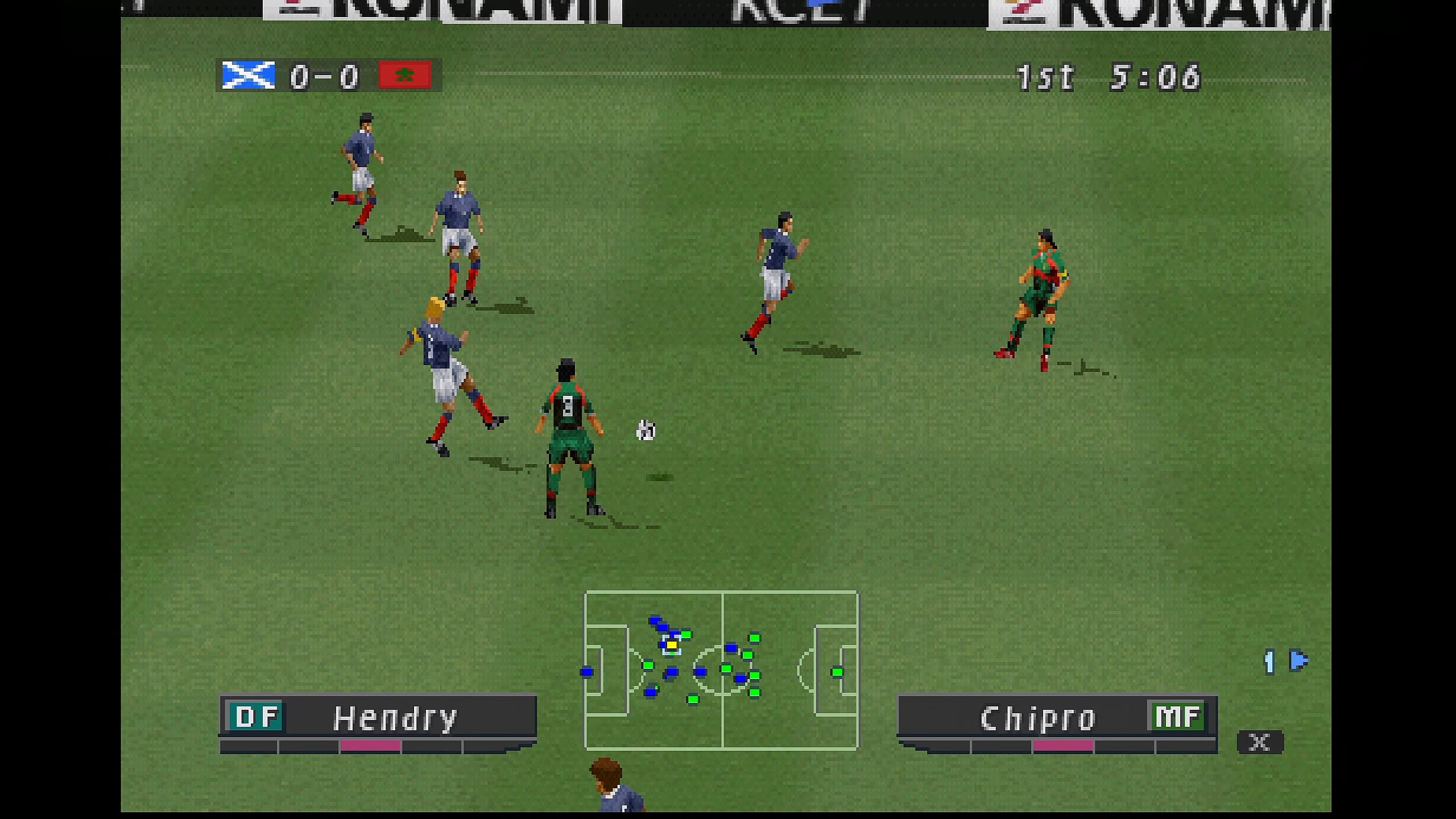
Here’s an example. I ran PS1 game ISS Pro Evolution 2 through the RetroTINK-6X CE, and set it to output at 6X, meaning a resolution of 1440p. Here’s the resulting image – zoom in closer and you can see the individual pixels. Each original PS1 pixel is now a 6×6 square.
Bear in mind this was also captured using an Elgato capture device, meaning it adds its own compression – the actual image going into your TV is even cleaner.
At this point it should be noted that the RetroTINK can only work with what it’s given. A good video cable is an important part of the puzzle – if you feed the RetroTINK a blurry mess, it’ll just give you a blurry mess at a higher resolution.
For my PS1 and PS2, I use Packapunch RGB SCART cables from Retro Gaming Cables, to ensure the best possible image is going into the RetroTINK in the first place.
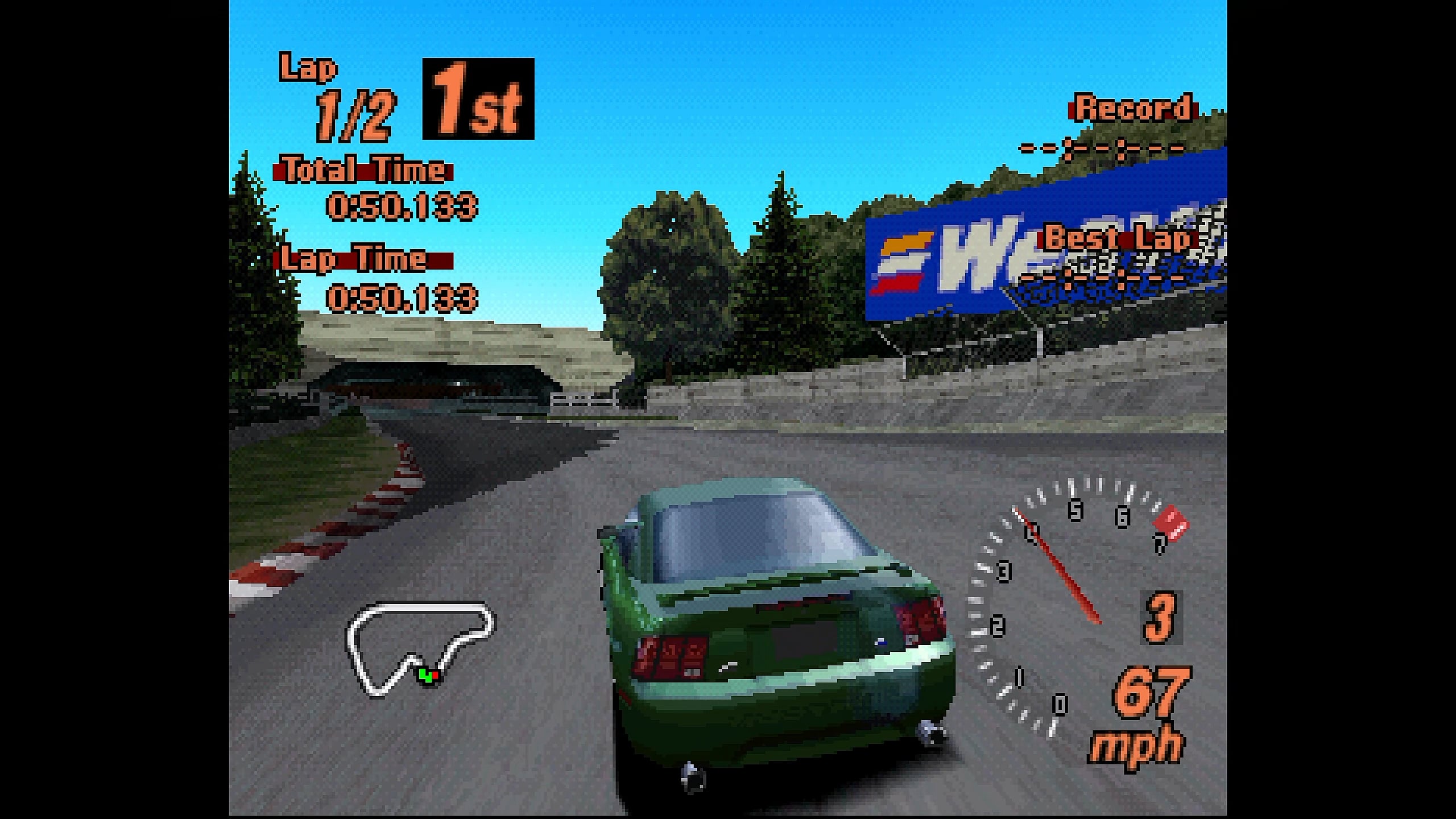
Here are some more sample screenshots, showing Gran Turismo on the PS1, Silent Hill 2 on PS2, and The Getaway on PS2.
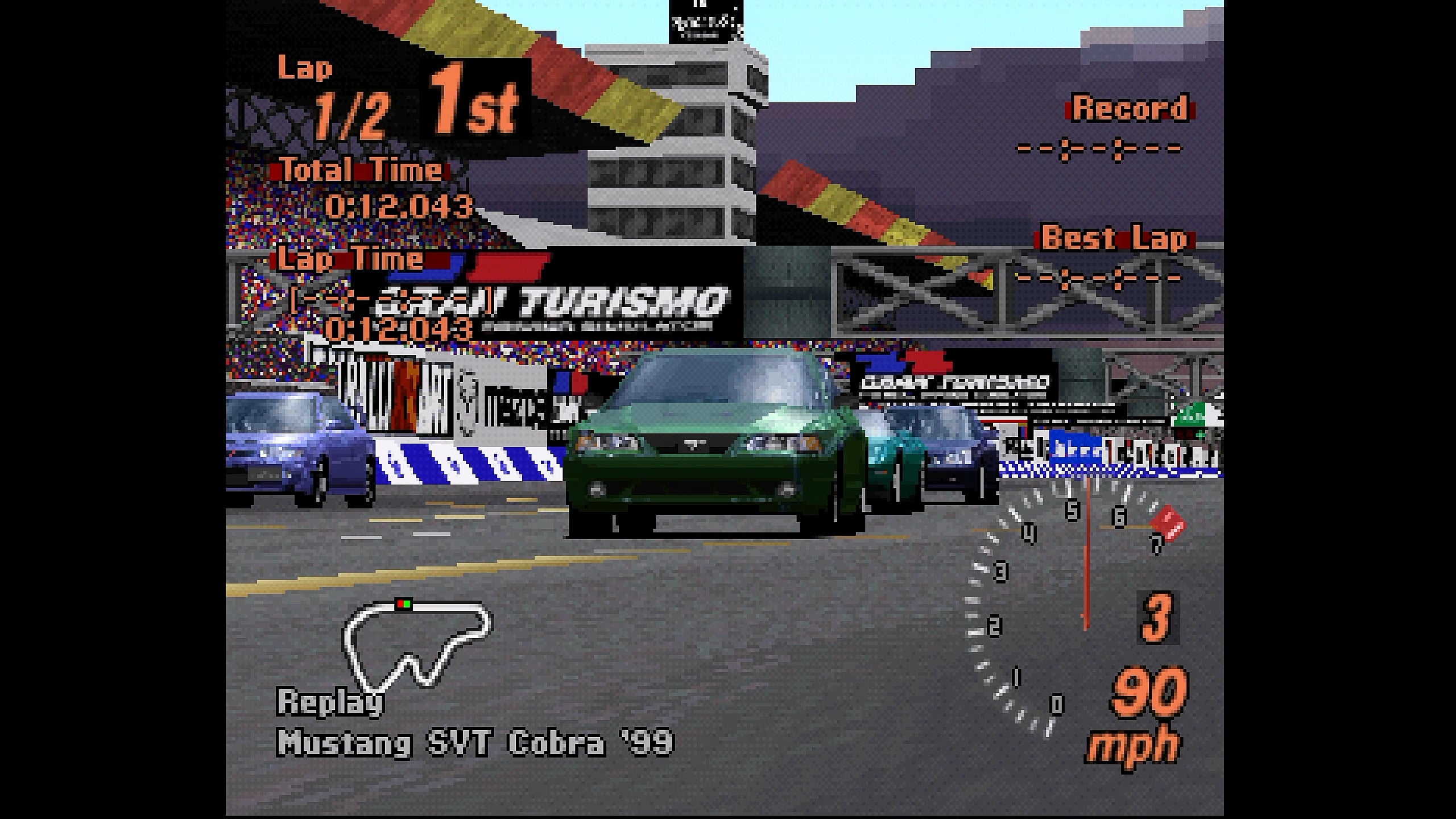
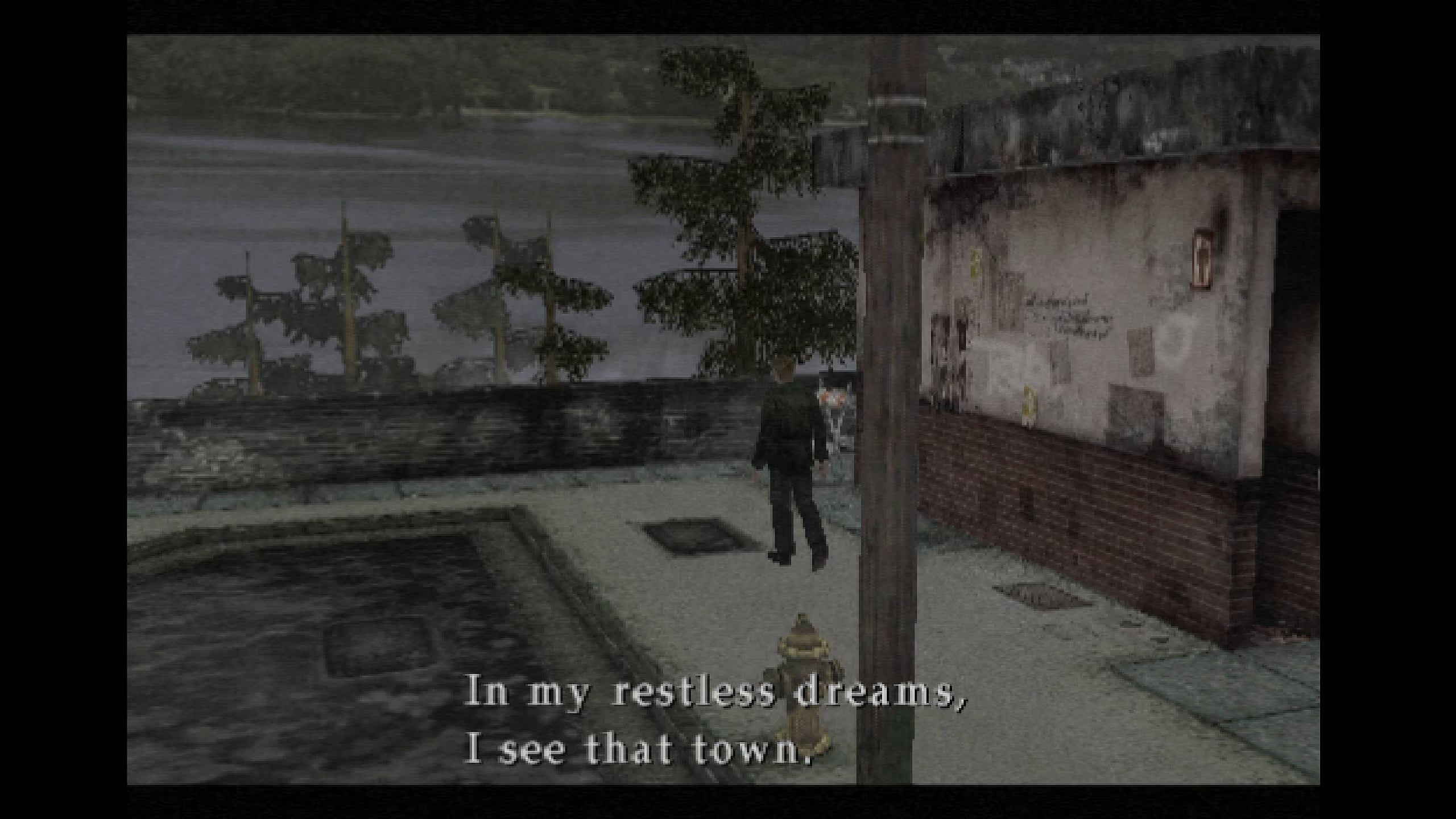
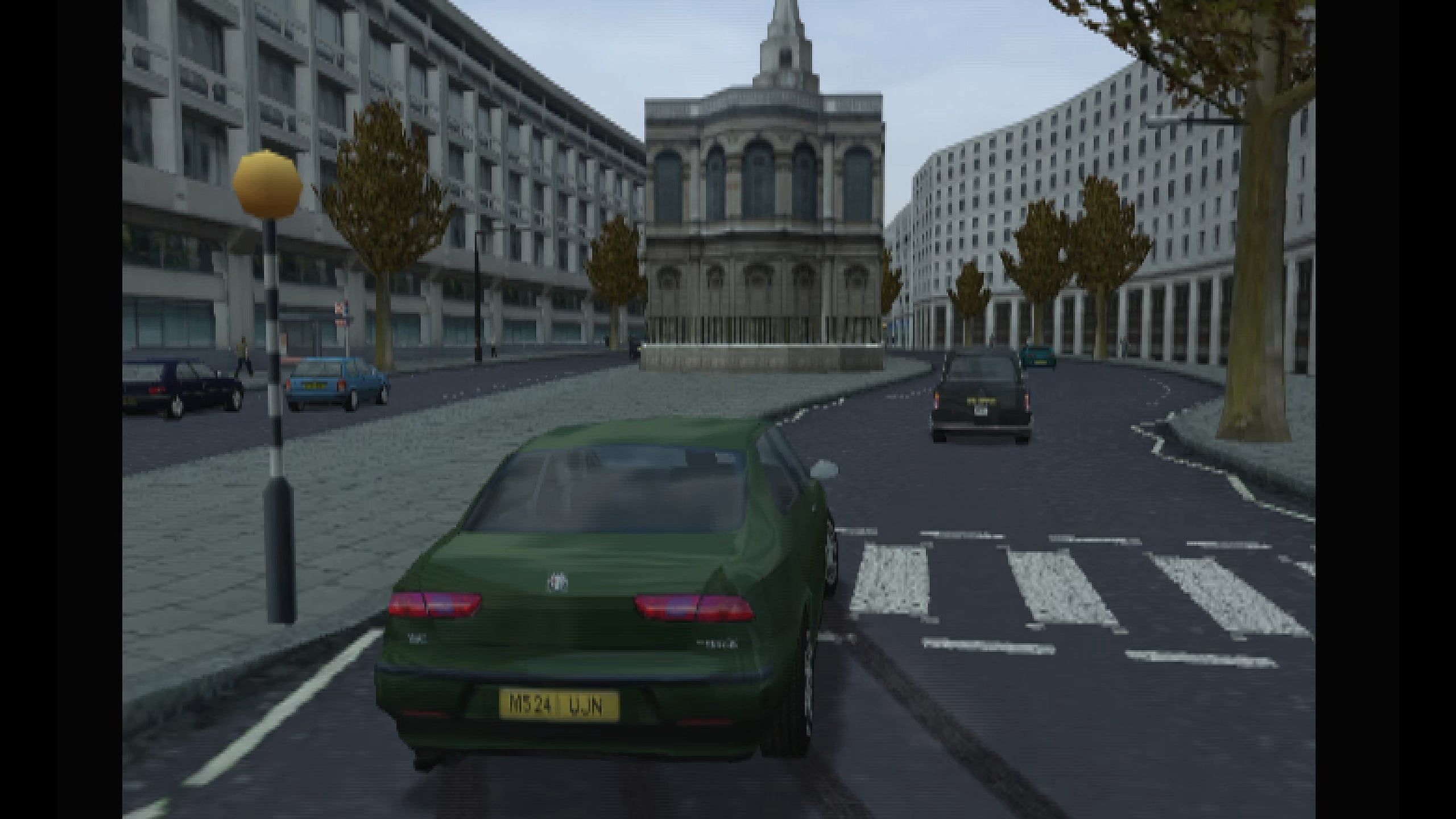
It should also be noted that these are using default profiles. The RetroTINK-6X CE includes a selection of preset profiles for a variety of popular consoles, so if you’re using a GameCube you can just choose that setting and the hardware will set itself up to optimise the best possible picture for that system.
Of course, ‘best’ is subjective, and you may feel that, for example, the PS2 screenshots above are too dark and not vibrant enough. There are an intimidating array of options that can be tweaked in real-time if you want to mess with this, and I’d be lying if I said I understood more than 5% of them, but even just tinkering with the basics will let you find a picture that better suits your needs (scuh as increasing the brightness, contrast or what have you), which you can then save as a custom profile so you don’t have to do it again.
In terms of what it can actually run, the 6X CE has a wide range of inputs to cover a hefty gamut of devices. There’s composite (the yellow, red and white cables) and S-Video connections at the front, and a SCART connector (which supports RGB too) on the side. Then at the back there’s component (the one with the red, green and blue cables) and VGA – which is ideal for very old PCs – as well as Audio in and Optical Audio in ports.
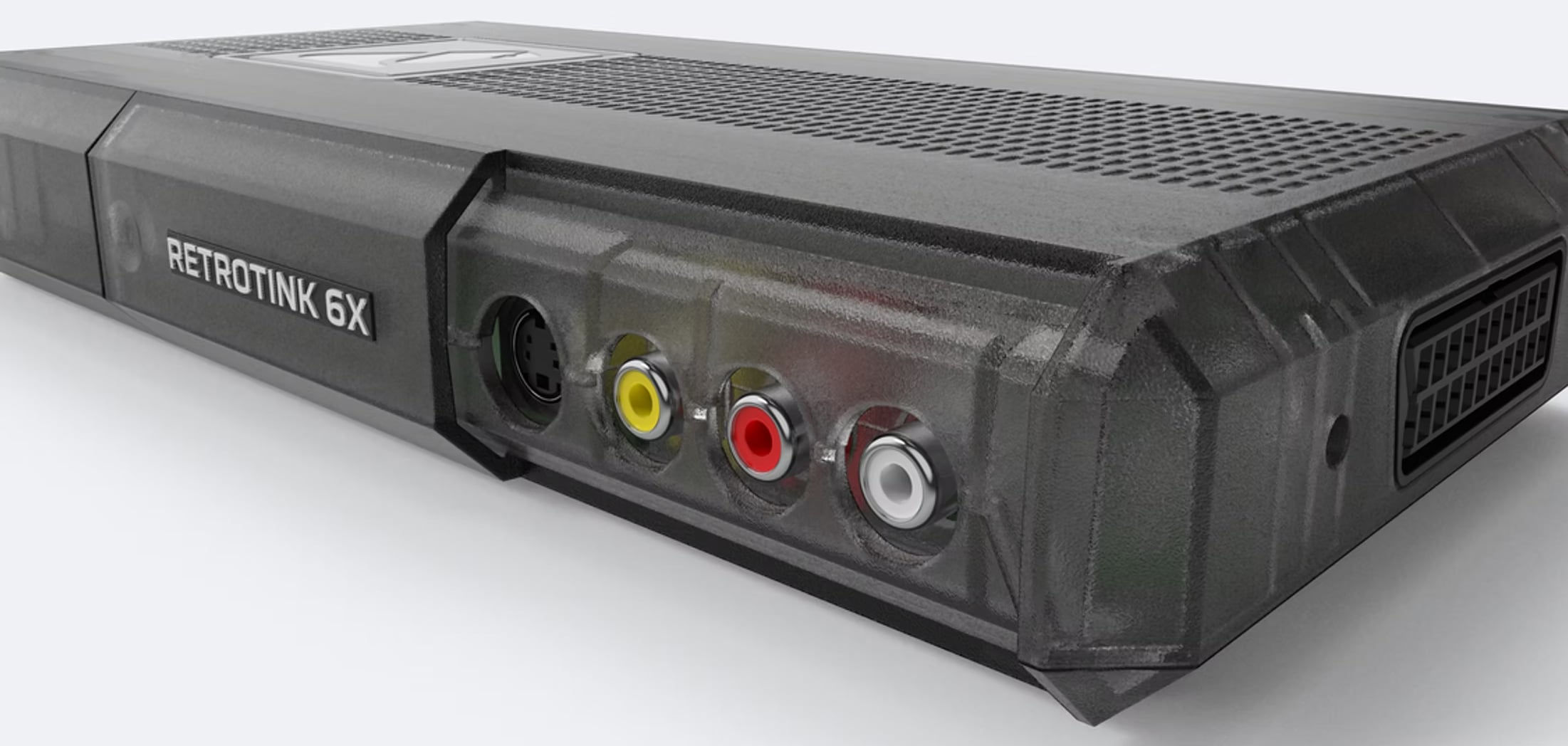
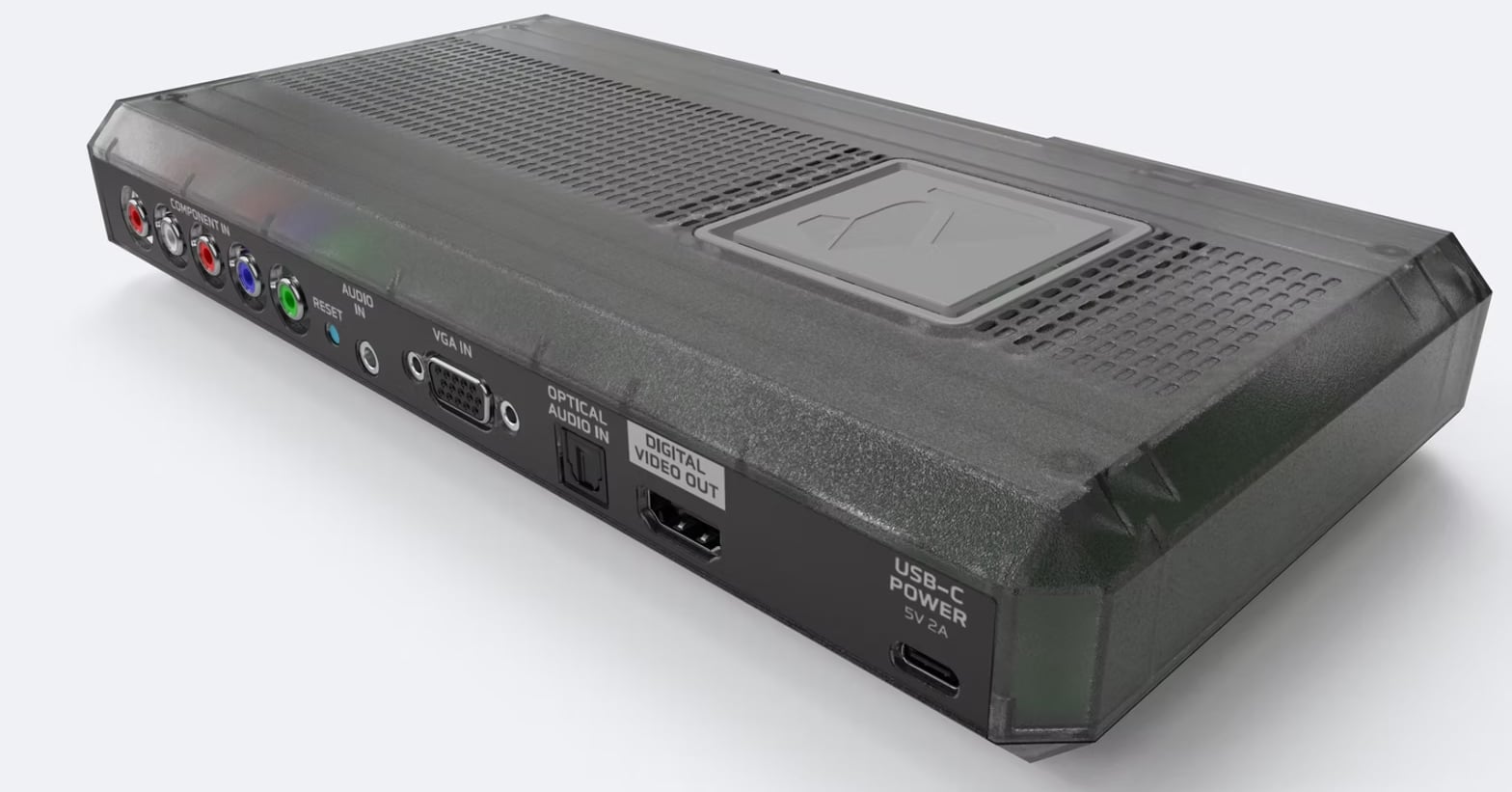
It can then take whatever signal it gets from these sources and output it at a variety of resolutions including 480p, 1080p and 1440p. It’s here where two of the device’s main limitations are made clear, however.
Firstly, the most obvious difference between the 6X CE and the more expensive 4K is in the name – the pricier model can support resolutions up to a full 4K UHD (3840 × 2160), whereas the most the 6X CE can do is 1440p. Not all displays support this, so you’d need to check that first (if you have a PS5 or Xbox Series X, this can easily be tested in the console’s display settings).
If your display can’t show 1440p, then a 1080p HD image is probably the best you’ll be able to get – to be clear, this will still look great with the right cables, but if you’re running it through a 4K television then you’re going to be at the mercy of your display’s own upscaling and image processing to some extent.
The other main downside – though it really depends on what you’re using it for – is that there’s no HDMI input. The RetroTINK 4K Pro supports HDMI 1.4 up to 1080p60, which may not seem like a big deal when you’re mainly using it for retro consoles but is great for one generation of devices in particular.
Although the Xbox 360 supported 1080p output, the number of games that actually rendered natively at 1080p are in the single digits. The vast majority of games rendered at 720p, and the console scaled this up to 1080p for TV displays.
One of the main reasons I use my 4K Pro, then, is to set my Xbox 360 output to 720p (so it’s not doing any scaling), put it through the 4K Pro via HDMI, and do a 3x line trebling to get a brilliant 2160p 4K image. With no HDMI support and no 4K support in the 6X CE, this plan falls at two separate hurdles, meaning you’ll need to make do with using a Component cable for your 360 and doing a 2x line doubling to get 1440p – still impressive, just not as much.
This is one of the more technical reviews you’ll likely have seen on VGC and, to be blunt, it’s not even scratching the surface, because it’s been written in a way that attempts to make the topic as approachable as possible to those new to the world of scalers and line doublers.
If you’re more serious about your video processing, there are some significantly more detailed reviews out there which really get into the bones of what the 6X CE does – this review is more of an overview aimed at those who may not know their colorspace input range from their input decimation phase.
For some, a $300 / £235 price point will still be too high when all they want to do is get the Wii out and show their kids what Wii Sports was like. For those people, there are a bunch of different, significantly cheaper options out there which will get the job done to an extent – the game will be playable, and if that’s all you want, then go forth and explore.
If you’ve been looking for a serious solution that can make your retro consoles sing, however, but the previous RetroTINK products have been well out of your price range, the 6X CE offers a solid compromise, and as long as you’re okay with the fact that the highest resolution it supports is 1440p, you should find that it’ll take anything you throw at it and show it in the best possible way your console and cables will allow.
RetroTINK-6X CE Review
The RetroTINK-6X CE review is an excellent device if you want to play retro consoles (or any old analogue devices) on a modern TV, but want something a bit more substantial than the cheap low-quality upscalers you can find online. While its price will still be a tad rich for some, it's substantially cheaper than the flagship RetroTINK 4K Pro, yet has many of the same features. A lack of HDMI input and 4K output are disappointing, but as long as you're okay with a maximum of 1440p it'll happily take anything else you throw at it.
- Line duplication of up to 6x means 240p images look great at 1440p
- Can handle a huge selection of inputs
- Enormous range of options to tweak the picture
- Much cheaper than some other RetroTINK products
- No support for 4K60 output
- No HDMI input
- There are still much cheaper (if worse) alternatives