Saros guide: How to change the difficulty in Saros, Carcosan Modifiers explained
Wondering how to change the difficulty in Saros? Find out in this guide

Wondering how to change the difficulty in Saros? Saros is a tough game, much like developer Housemarque’s previous game, Returnal.
However, unlike Returnal, Saros has a few significant ways to change the difficulty of Saros. In this guide, I’ll explain the game’s Carcosan Modifiers system, how you can make the game significantly easier, as well as a hidden option buried in the game’s menu which can make the game even easier.
Read on to find out how to change the difficulty in Saros.
How to change the difficulty in Saros
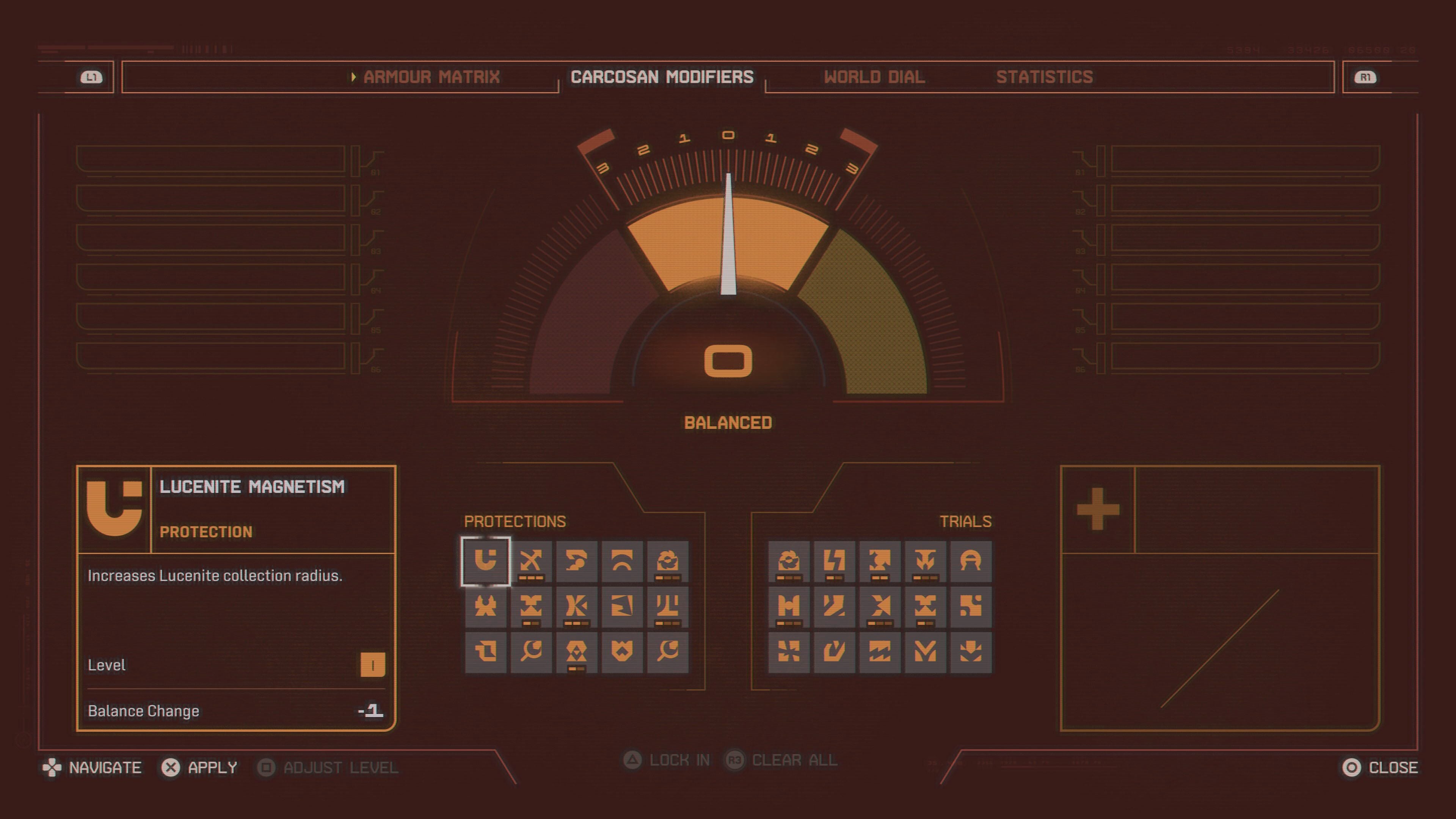
- In Saros, you can change the difficulty by activating Carcosan Modifiers
Carcosan Modifiers are buffs and nerfs that can make the game easier or harder. These range from things like an increased amount of damage done to enemies, or negative effects like no Halcyon spawning during your run.
Via the Carcosan Modifiers, you can tune down the part of the game you’re finding difficult. The game will tell you if your modifiers are unbalanced.
How to change the difficulty in Saros via the hidden difficulty option
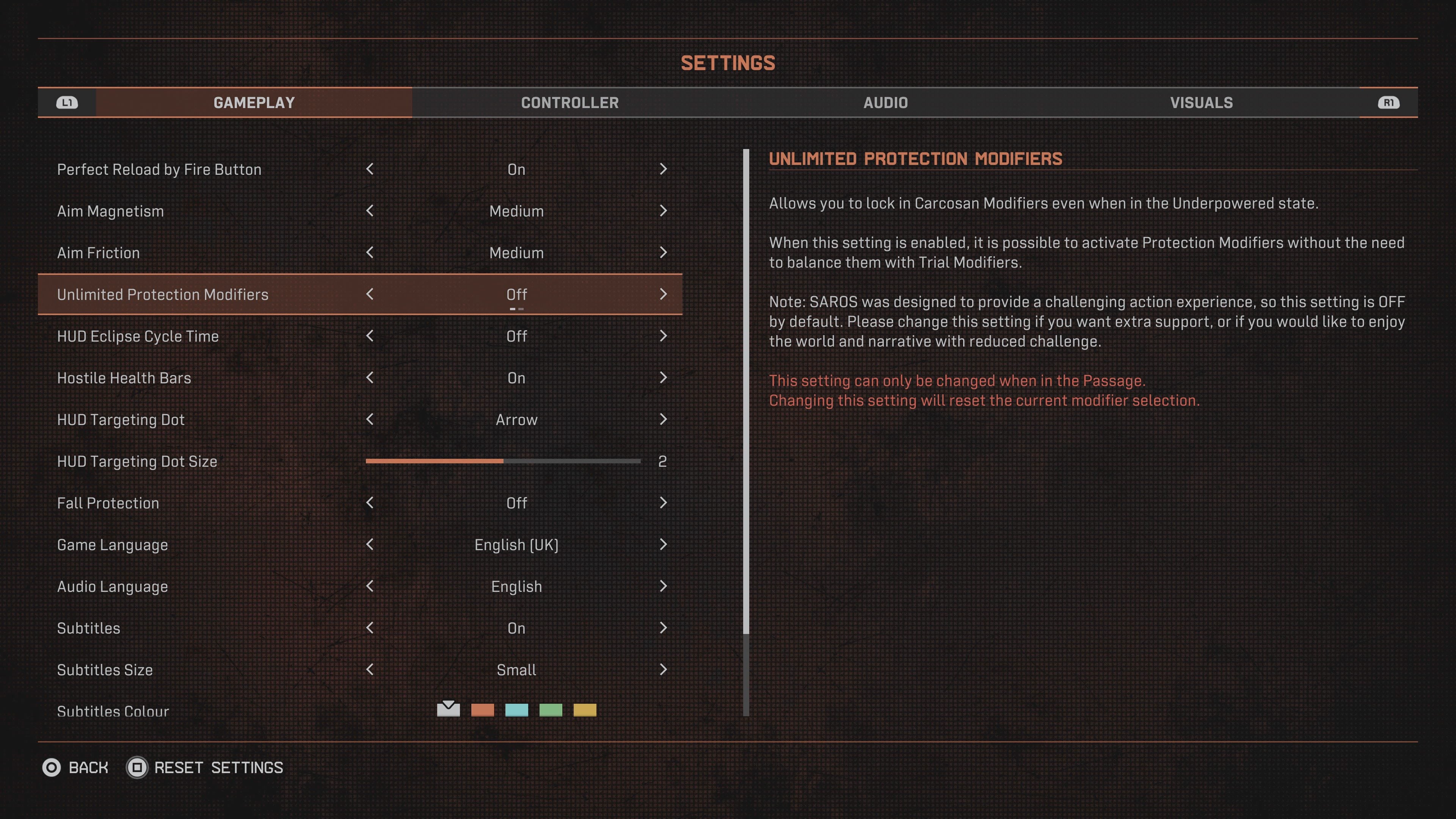
If you’re still finding Saros too tough, there is a further option. In the game’s settings menu, head to the gameplay tab and then go down to Unlimited Protection Modifiers. Via this option, you can add as many protection modifiers as you want, without the need to balance it out with the corresponding trial modifiers.
The game will warn you that this is not the way the game is intended to be played, but acknowledges that this option may be used by players who need physical assistance or those who want to experience the game’s story without the challenge.
You can only activate this while in The Passage.