Pokémon Pokopia Multiplayer Explained: How to play with friends
Looking to start your Pokopia adventure with your friends? Our Pokopia multiplayer guide has all the answers
Did you just start Pokémon Pokopia, and you want to play multiplayer with your friends?
In this guide, we’ll explain the game’s various multiplayer modes and how you can connect with friends to build your own island together.
How to start multiplayer in Pokémon Pokopia
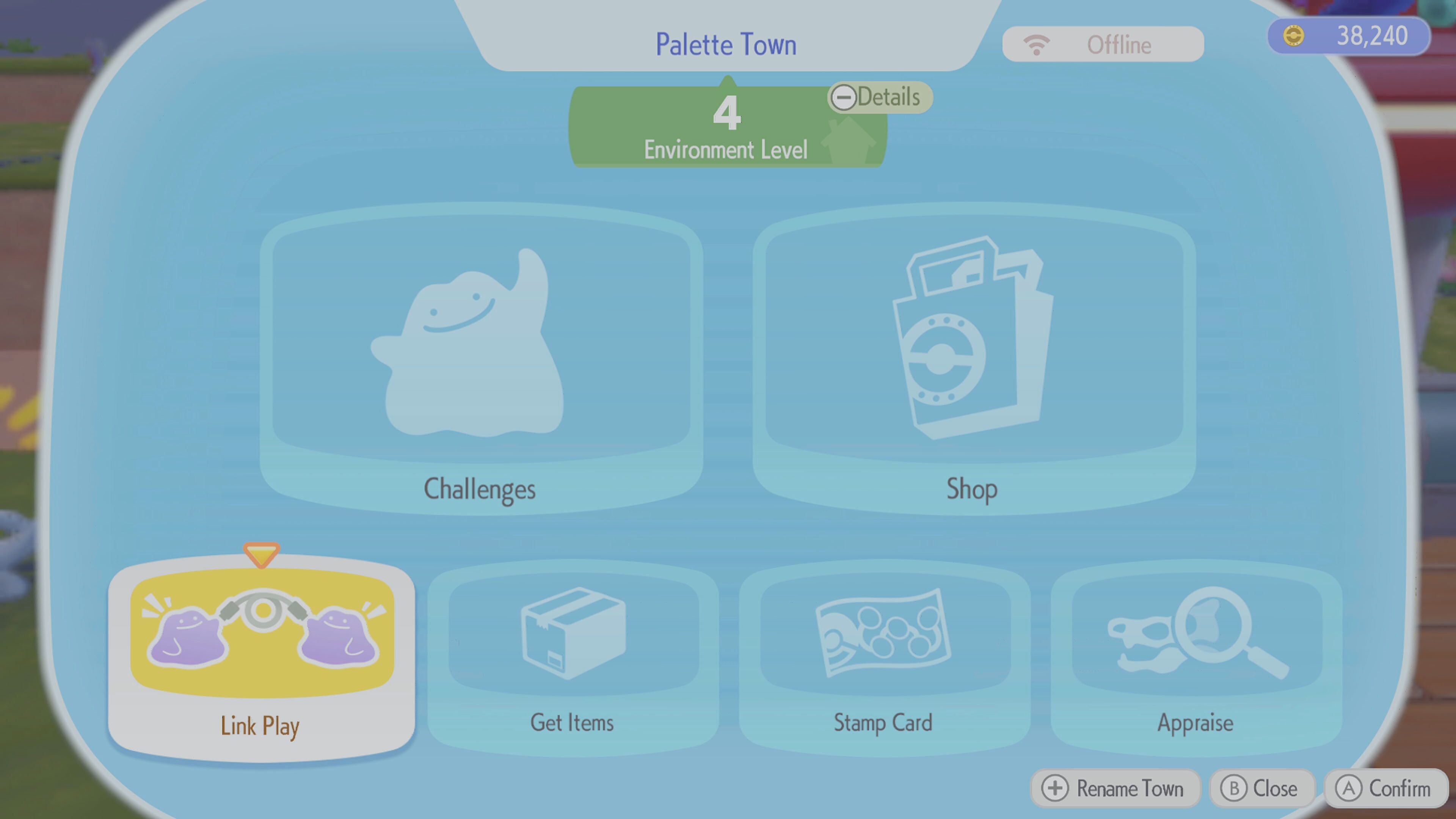
To start multiplayer in Pokémon Pokopia:
- Head to any PC in the game that is attached to the Pokémon Center.
- From the menu, select Link Play
- Choose which kind of multiplayer you’re looking to play
How does multiplayer in Pokémon Pokopia work?
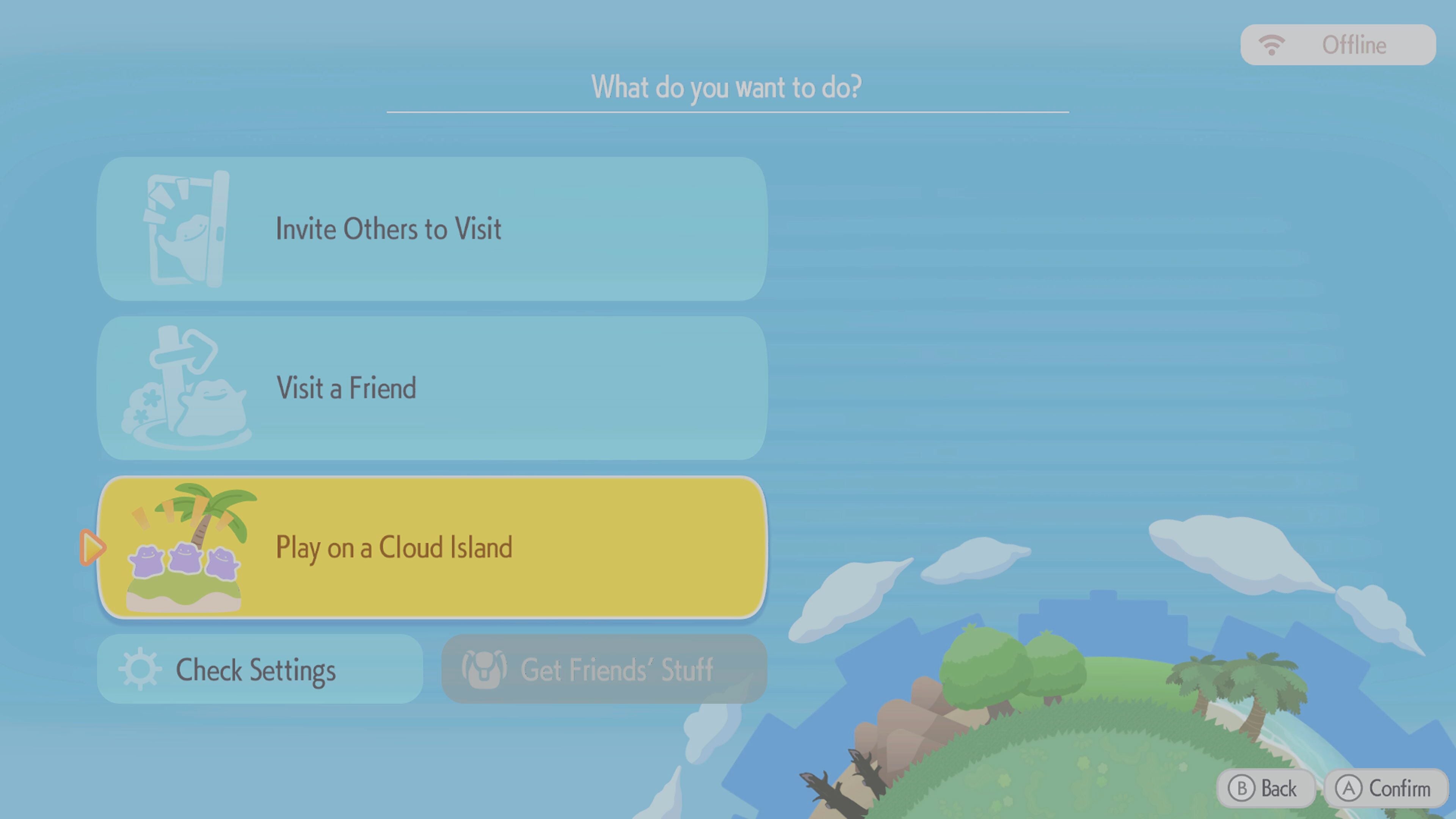
Pokémon Pokopia allows players to play with upto three other friends in multiple different ways.
You can invite other players into your world. By doing this, they can help you develop your version of Palette Town, the sandbox area of the game.
They can also visit the other regions in Pokopia, but they can’t help build outside of Palett Town
If you or your friend encounters a Pokémon that you’ve not encountered, you can use a Star Piece to give to that Pokémon, and it will appear back in your version of the world.
Similarly, you can visit your friend’s islands and help them to develop their own world, again, as long as it’s Pallet Town
The third option is to play on a Cloud Island. This is a persistent island between you and your friends that can be played even when the host isn’t available, or even when playing the game. While you can’t bring things from your Cloud Island back to the main game, any recipes you learn in the Cloud Island will still be learned when you return to your own game.