Pokémon Pokopia: How to increase your inventory space
Running out of room in your bag in Pokémon Pokopia? Here’s how to increase your space
Do you want more inventory space in Pokémon Pokopia? In this guide, we’ll explain how to make your bag bigger if you’re running out of room in the new game.
Pokémon Pokopia is a life simulation game all about rebuilding Kanto and welcoming Pokémon back to the region. Virtually everything in the game can be picked up and moved around, meaning that at virtually all times, your bag is going to be full of items.
Thankfully, Pokopia makes it easier to increase your inventory space, and in this guide, we’ll explain how.
How to increase inventory space in Pokémon Pokopia
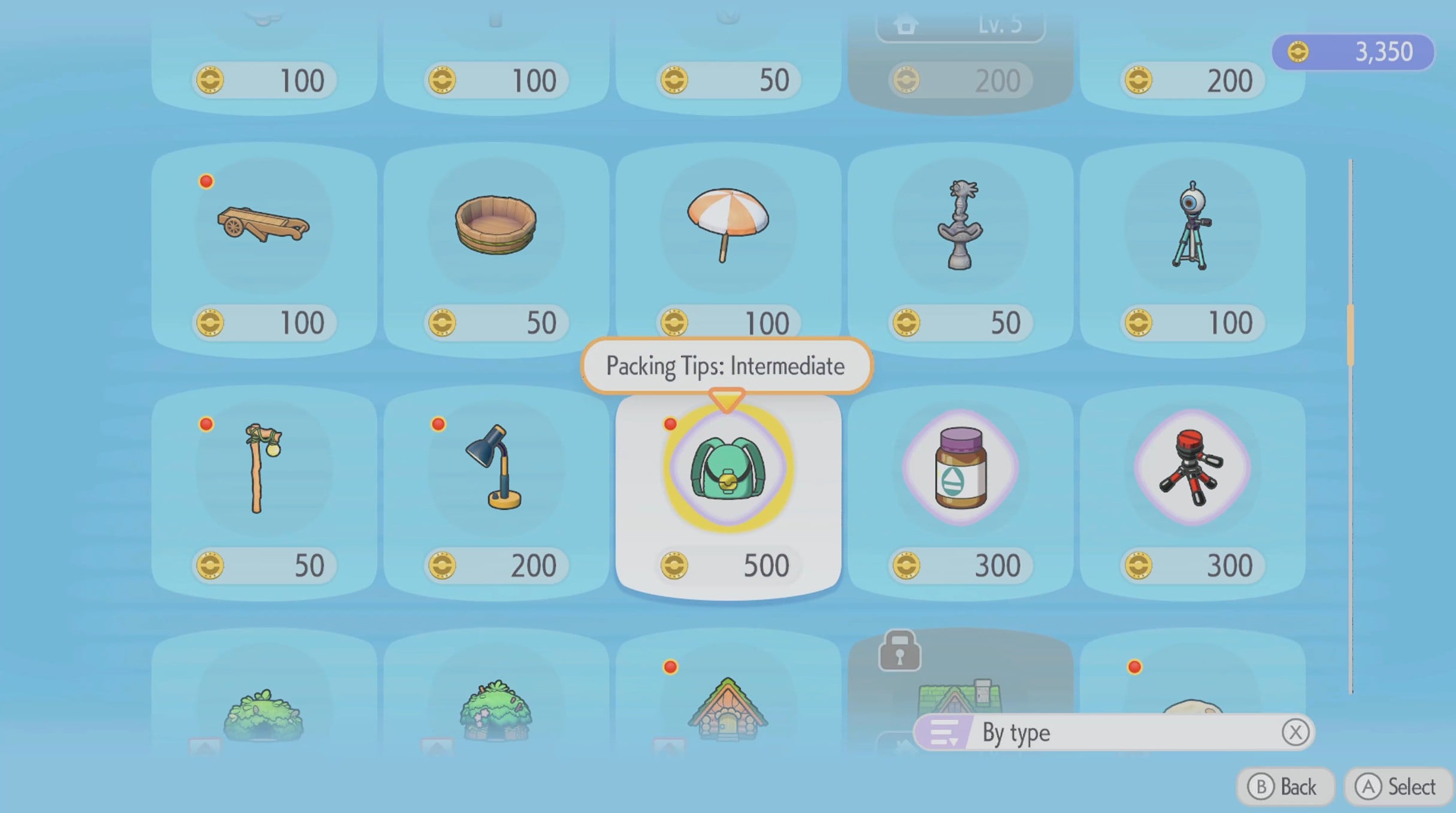
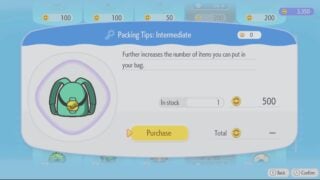
To increase your inventory space in Pokémon Pokopia, you have to buy the Packing Tips items from the shop at the Pokémon Center.
These items become available as you progress through the game and raise the environment level of the area. The first upgrade, the Packing Tips: Intermediate, becomes available when you raise the Environment Level of the Withered Wasteland to 2, which you’ll do automatically as part of the story. The other Packing Tips items are also available in the store; they appear as you progress through the game.
The upgrades are cheap, and if you’re struggling for coins, you can quickly complete one of that area’s easier challenges to top up your balance. It’s worth noting that virtually every item in the game can be acquired multiple times, so don’t be too worried about throwing something away. Not only that, things you throw away stay present in the world for an extended period of time, so you can always drop something while you arrange your inventory and then pick it back up.
If you’re still struggling with inventory, you can drop items in storage chests around the world, or give them to Pokémon with the Storage speciality, such as Gulpin.