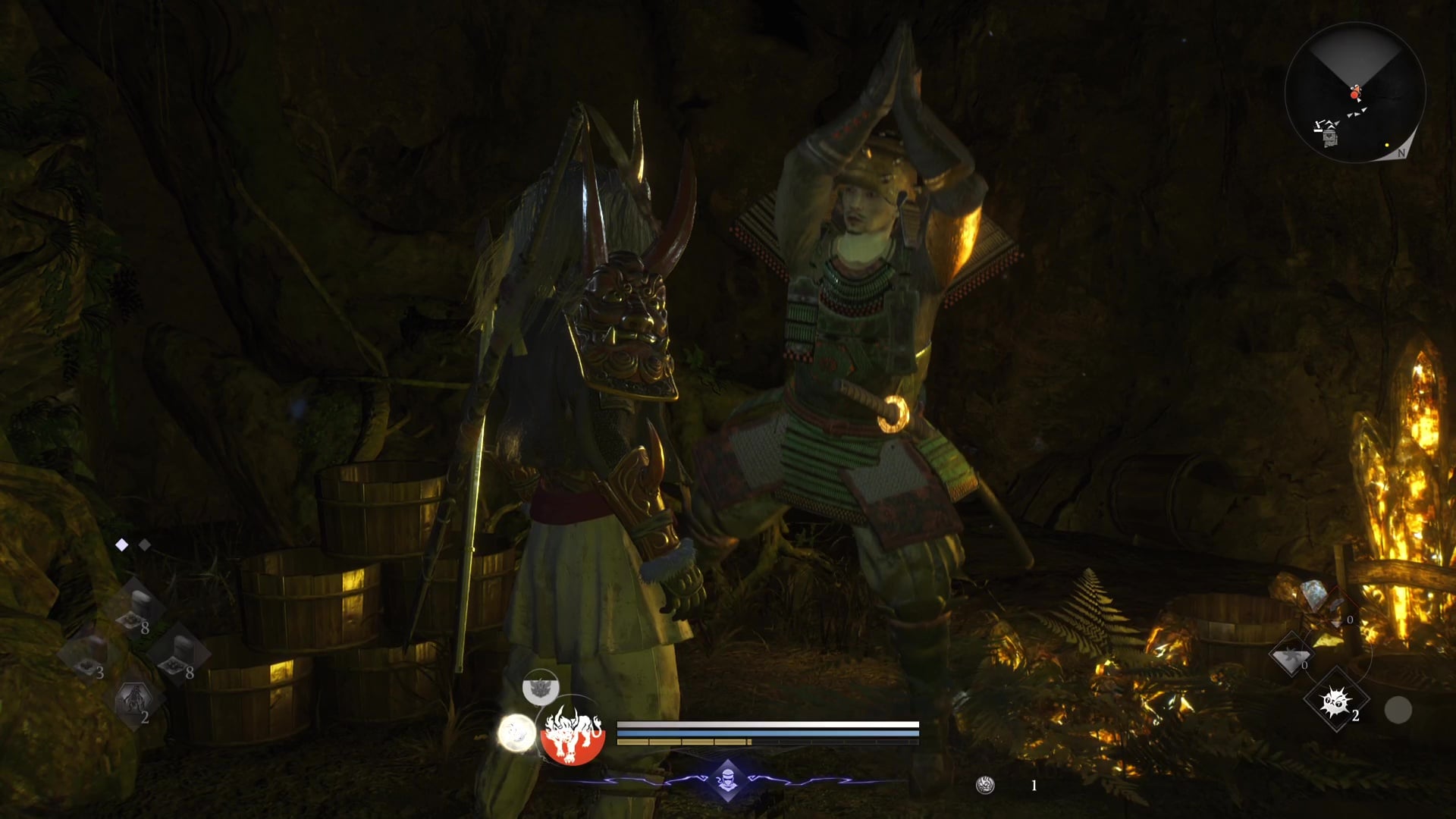
Nioh 3: How to play co-op as a Host and Visitor
Everything you need to set up co-op games with your friends in Nioh 3.

Nioh 3 allows up to three players to play together, and you can play the entire game this way with your friends, or just call in backup whenever a boss is a bit tough for you when going it alone. The only problem is that it can be a bit awkward to make things work.
We’ve tested all the methods, and we’re outlining the best, surefire way to join your friends in Nioh 3, whether you’re creating a room as a host or joining as a guest.
How to create a room for co-op – Nioh 3
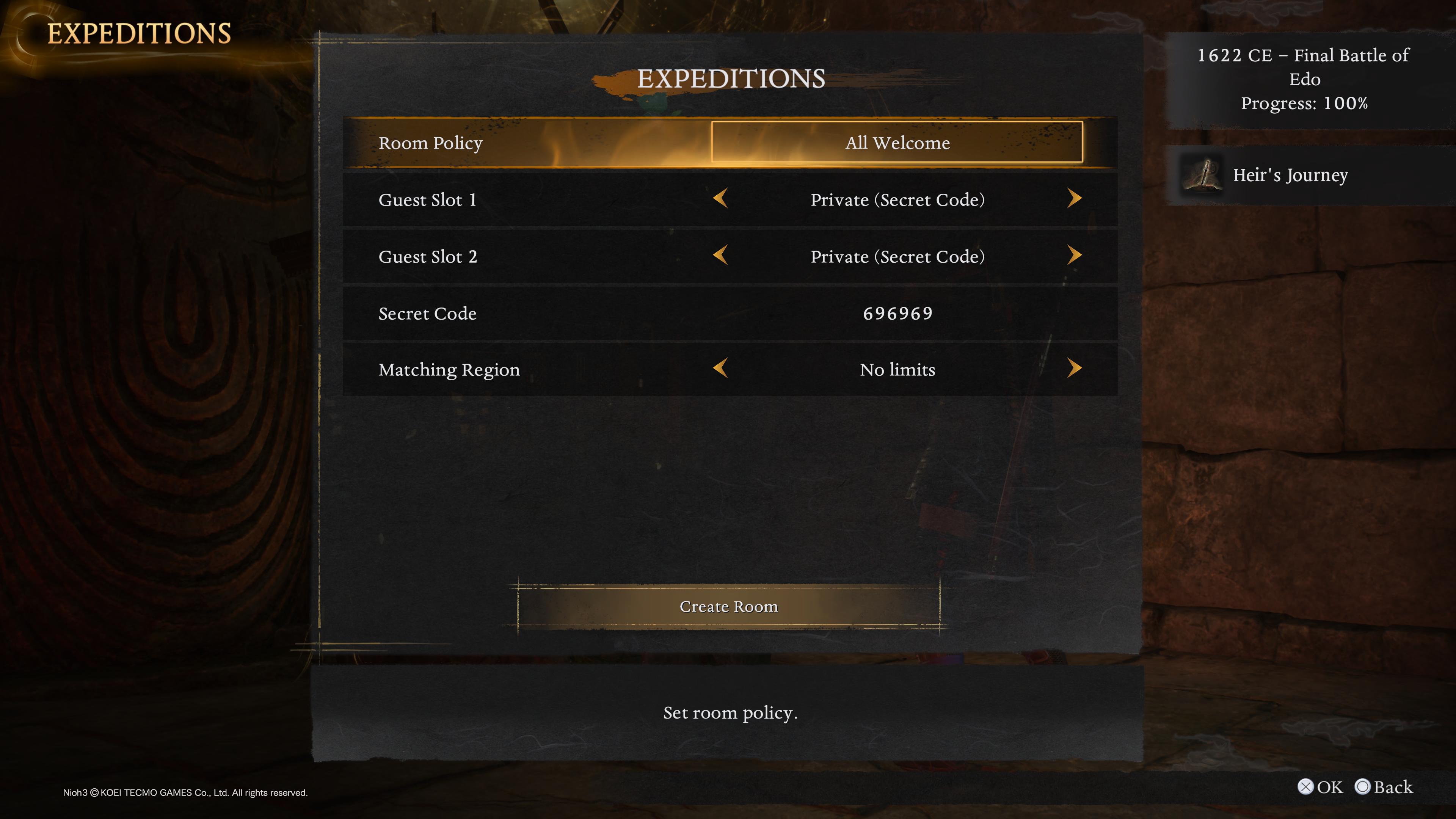
We’ve tried to join rooms with our friends in Nioh 3 several times, but we’ve only found one method that actually seems to work. Follow these instructions to correctly create a room for co-op.
From a Shrine, navigate to the co-op menu and select Expeditions, followed by Story Mode. If you want to exclusively play content you and your friends have already cleared, you can instead choose Mission Mode, but this is a more niche option. Next, choose Create Room.
When creating a room, you’ll first be asked to choose a Room Policy — just ignore this, and leave it on the default as “All Welcome.”
Next, we’ll be setting our Guest Slots. Set both Guest Slots to “Private (Secret Code)”, as this will ensure you’re matched with the correct friends. If you only want one person to join your game, simply share your Secret Code with one person.
Now we move on to the Secret Code, and here you get to choose a six-digit number. This can be any number you choose, and the more obscure, the better chance that you won’t accidentally stumble into someone else’s session. When you’ve selected your Secret Code, share it only with the players you wish to join your game.
Finally, for the Matching Region option, leave it on the default as “No limits”.
How to join a game as a co-op guest – Nioh 3
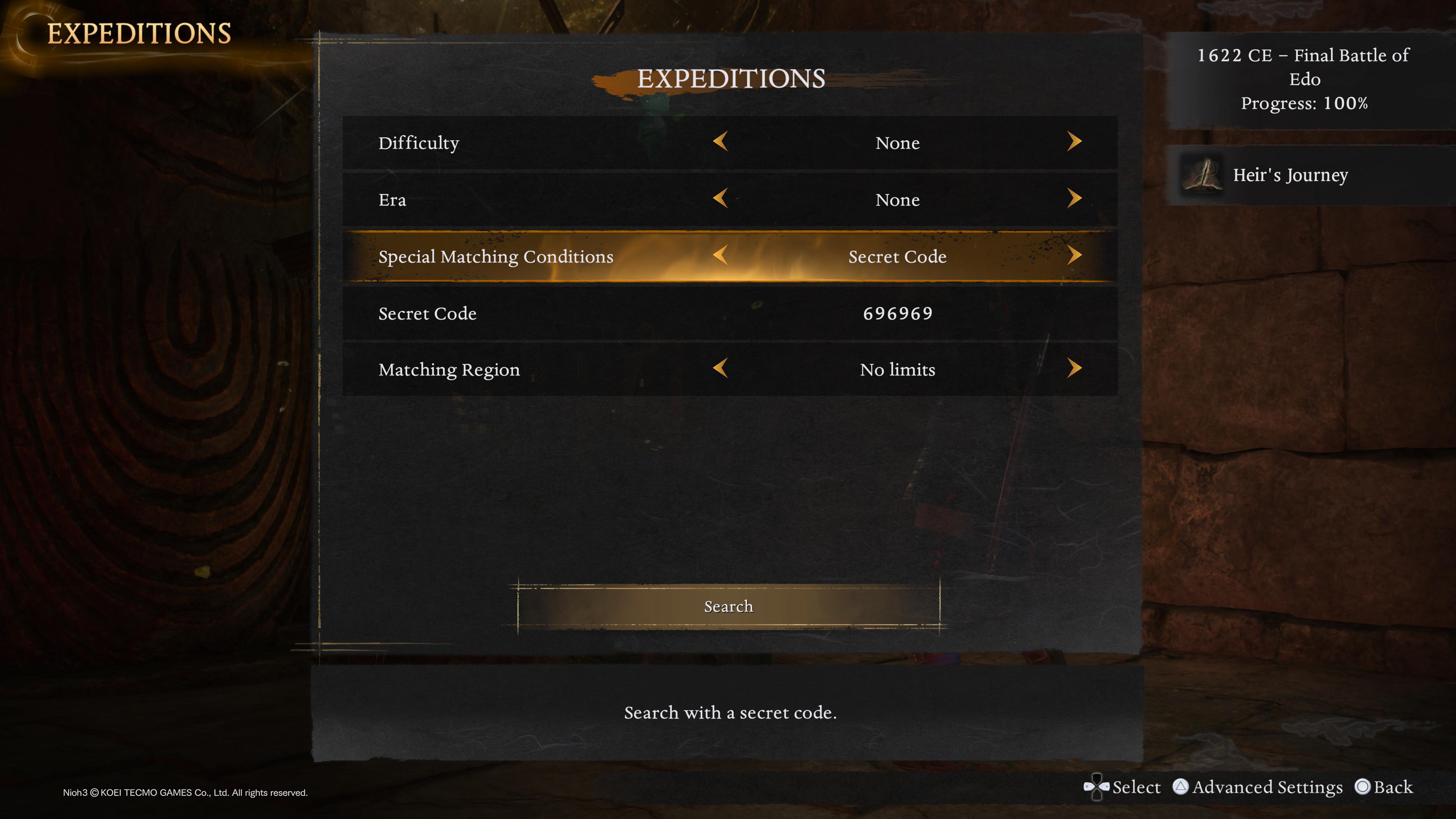
Like when creating a room, you’ll have to go to the co-op menu while at a Shrine, select Expeditions, and Story Mode (unless your host has already specified Mission Mode). Now choose Search.
When searching for your friend, it’s best to leave most options on their defaults and just change the Special Matchmaking Condition to “Secret Code”. This will enable the Secret Code field, and you must enter the same six-digit number that the person creating the room has specified.
Once the Secret Code has been entered, simply hit Search, and you should be automatically matched with your friend. In the unlikely event that you do happen to get matched with someone you don’t recognise, try using a different Secret Code.
Look for Nioh 3 Guides? Read our detailed instructions for finding Kodama locations, Jizo statues, hot springs locations, Scampuss locations, and Nurikabe locations, plus breakdowns for best character creation codes, guardian spirits, blacksmith's chests, full area and missions list, and Solitary Blade Myth, and our Distant Memories trophy guide and Nothing Left To Learn trophy guide.